Introduction
Artificial intelligence is becoming an essential part of modern business applications. From intelligent customer support and automated document processing to predictive analytics and personalized mobile experiences, companies are using AI to improve efficiency, reduce repetitive work, and make better decisions.
However, as organizations plan their AI adoption strategies, an important question arises: Should AI run directly on a user's device, or should it process information through cloud-based infrastructure?
The answer depends on the application's purpose, performance requirements, data sensitivity, infrastructure costs, and expected scale.
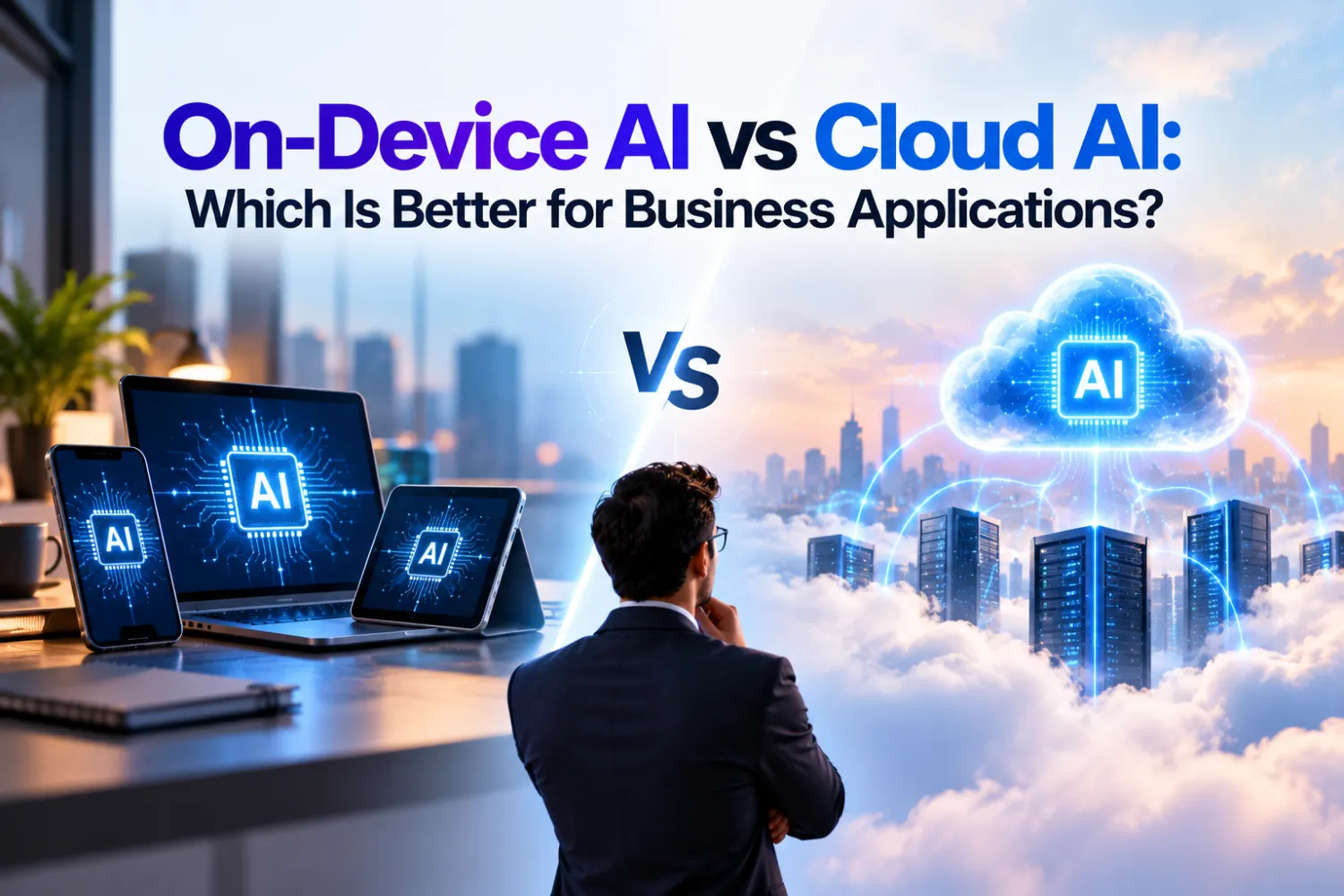
On-device AI processes information locally on devices such as smartphones, computers, cameras, or industrial machines. Cloud AI sends data to remote servers for processing, allowing applications to access more computing resources and larger AI models.
Both approaches offer meaningful advantages. In many business scenarios, combining them through a hybrid AI architecture can provide the best balance of speed, privacy, and intelligence.
In this guide, we compare on-device AI vs cloud AI, explore their business applications, and explain how organizations can choose the right approach for their technology investments.
What Is On-Device AI?
On-device AI is an approach in which an artificial intelligence model runs directly on a local device instead of relying on a remote cloud server for every prediction or response.
It is often associated with edge AI, although the terms are not always identical. On-device AI specifically refers to processing on the device itself, while edge AI can also include nearby gateways and local computing infrastructure.
For example, a mobile application might use an on-device AI model to recognize objects in a photograph, transcribe speech, classify documents, or suggest text without sending the entire input to a remote server.
How On-Device AI Works
The process typically involves the following steps:
- Data collection: The device receives information from a camera, microphone, sensor, or user input.
- Local processing: A trained AI model analyzes the information using the device's available computing resources.
- Result generation: The application receives a prediction, classification, recommendation, or other output.
- Optional synchronization: The application may send selected results or permitted data to a backend system for storage, reporting, or further analysis.
Some models are trained or updated using centralized infrastructure and then deployed to devices for inference. This separates the computationally intensive training process from the work performed during everyday application use.
Benefits of On-Device AI for Businesses
- Low latency: Local processing avoids the network round trip to a remote AI service.
- Improved data privacy: Sensitive inputs can remain on the device when the application is designed to process them locally.
- Offline functionality: Supported features can continue working without an internet connection.
- Reduced data transfer: Applications can avoid transmitting large amounts of raw data.
- Predictable local response: Performance is less dependent on internet connectivity, although device workload and hardware still matter.
These benefits make on-device AI particularly valuable for applications that require immediate feedback, local context, or restricted data movement.
Limitations of On-Device AI
On-device AI is not suitable for every workload. Mobile phones, embedded devices, and standard computers have finite memory, processing capacity, storage, and battery life.
Developers may need to optimize models to fit the target hardware. Managing model versions, security updates, compatibility, and performance across a wide range of devices can also increase engineering complexity.
For applications requiring extensive knowledge retrieval, large context windows, or complex reasoning, a cloud-hosted model may be more appropriate.
What Is Cloud AI?
Cloud AI refers to artificial intelligence capabilities delivered through remote servers or cloud computing platforms. The application sends a request to the cloud, where an AI model processes the input and returns a result.
Businesses commonly use cloud AI for conversational assistants, enterprise search, large language models, recommendation engines, predictive analytics, and complex document processing.
For example, a customer service application can send a customer's question to a cloud-hosted AI model, retrieve relevant information from company knowledge sources, and return a contextual answer.
How Cloud AI Works
A typical cloud AI workflow includes these steps:
- Data submission: The application sends an input or request to an AI service through a secure connection.
- Cloud processing: Remote infrastructure runs the AI model and performs the required computation.
- Data retrieval: The system may access approved databases, enterprise documents, or other connected services.
- Response delivery: The AI service returns its result to the application.
- Monitoring and improvement: Depending on the architecture and permissions, teams can monitor usage, evaluate performance, and deploy updated models centrally.
Cloud AI can support centralized model management and serve multiple users without requiring every device to run a large model locally.
Benefits of Cloud AI for Businesses
- Greater computing capacity: Cloud infrastructure can support demanding models and complex workloads.
- Scalability: Resources can be adjusted as usage changes.
- Centralized updates: Model and application changes can be managed from a central environment.
- Enterprise integration: Cloud services can connect AI capabilities with databases, APIs, CRM systems, and other business tools.
- Advanced AI capabilities: Applications can access models and services that may be impractical to run on local devices.
Limitations of Cloud AI
Cloud AI usually requires network connectivity for remote inference. Network delays can affect response times, and service interruptions may temporarily prevent an application from using its AI features.
Sending information outside a device also introduces additional data governance, privacy, and security considerations. Cloud usage charges can increase with request volume, model complexity, and the amount of data processed.
These challenges can be addressed through careful architecture, secure data handling, usage controls, monitoring, and appropriate fallback mechanisms.
On-Device AI vs Cloud AI: Key Differences
The main difference between on-device AI and cloud AI is where inference takes place. That decision influences performance, connectivity, infrastructure, privacy, and maintenance.
| Comparison factor | On-device AI | Cloud AI |
|---|---|---|
| Processing location | Local device | Remote cloud infrastructure |
| Response time | Often faster for supported local tasks | Depends on network and server response |
| Internet dependency | Can work offline for supported features | Generally required for remote inference |
| Data privacy | Can minimize data transmission | Requires secure data transfer and processing controls |
| Computing power | Limited by device hardware | Access to scalable computing resources |
| AI model complexity | Best suited to models that fit the device | Can support larger and more demanding models |
| Operating costs | Hardware, optimization, distribution, and maintenance costs | Hosting, API usage, infrastructure, and data transfer costs |
| Model updates | May require distributing updates to devices | Can often be updated centrally |
| Scaling | May require compatible devices and fleet management | Infrastructure can scale centrally |
| Best suited for | Real-time local tasks and offline features | Complex reasoning, centralized intelligence, and shared data |
Neither approach is automatically faster, safer, or cheaper in every scenario. The outcome depends on the model, hardware, workload, network conditions, and how the application is engineered.
Which Is Better for Business Applications?
The right approach depends on what the business needs its AI application to accomplish.
1. Real-Time Processing and Immediate Responses
On-device AI is often a strong choice when an application needs to respond immediately.
Examples include detecting defects on a production line, recognizing objects through a mobile camera, identifying unusual sensor readings, or providing voice commands on a device.
Because the data can be processed locally, the application avoids waiting for a remote server response. This can be especially important when network connectivity is inconsistent or decisions must happen within a strict time window.
Cloud AI remains useful for complex analysis that does not need to happen at the point of interaction.
2. Data Privacy and Security
For businesses handling sensitive customer information, financial records, employee data, or confidential documents, the location of AI processing deserves careful consideration.
On-device AI can reduce exposure by keeping inputs local. However, it does not eliminate every security risk: devices still require access controls, secure storage, software updates, and protection against unauthorized access.
Cloud AI can also be implemented securely through encryption, identity management, access restrictions, data retention policies, and appropriate contractual and regulatory controls.
The key question is not simply whether the model runs locally or in the cloud. Businesses must evaluate the complete data lifecycle, including collection, processing, storage, logging, and sharing.
3. Scalability and Enterprise-Wide Deployment
Cloud AI is often a better fit when a company needs to support many users, centralized information, and workloads that vary significantly over time.
For example, a growing SaaS platform may need AI-powered search, document analysis, automated reporting, and customer support for thousands of users. Cloud infrastructure can make it easier to manage capacity and deploy updates centrally.
On-device AI can also scale across a large device fleet, but doing so requires compatible hardware, distribution processes, version management, and monitoring.
Businesses should assess total deployment and maintenance effort rather than comparing infrastructure costs alone.
4. Budget and Total Cost of Ownership
The cost difference between on-device AI and cloud AI is more complex than a comparison of hardware expenses against API fees.
On-device AI can reduce recurring per-request cloud charges, but organizations may incur costs for model optimization, hardware upgrades, application development, device management, and testing.
Cloud AI can reduce the need for specialized local hardware and shift some infrastructure expenses to usage-based pricing. However, high request volumes, large models, and frequent inference can increase operating costs.
To estimate total cost of ownership, businesses should consider:
- Initial development and integration costs.
- Model hosting, API usage, and compute expenses.
- Device hardware and compatibility requirements.
- Network bandwidth and data transfer.
- Security, monitoring, and maintenance.
- Model updates and ongoing optimization.
A practical pilot using representative workloads is usually more reliable than choosing an architecture based on general cost assumptions.
5. Reliability and Offline Access
On-device AI can continue to perform supported tasks when a device loses internet connectivity. This is useful in remote locations, warehouses, industrial environments, field operations, and mobile applications.
Cloud AI offers centralized infrastructure and managed services, but an application that depends entirely on remote inference can lose its AI functionality when the connection or service becomes unavailable.
For mission-critical applications, businesses should determine which functions must remain available offline and design appropriate fallback behavior.
Best Use Cases for On-Device AI and Cloud AI
Different industries have different requirements. The following examples show how each approach can support business operations.
1. Manufacturing and Industrial Automation
On-device AI can analyze camera feeds and sensor readings to identify defects or detect unusual machine behavior in near real time. Cloud AI can aggregate production data from multiple facilities to identify long-term trends and improve forecasting.
2. Healthcare Applications
On-device AI can support selected local tasks, such as document classification or voice transcription, where suitable models are available. Cloud AI can support more demanding analysis and information retrieval. Healthcare applications must account for patient privacy, clinical validation, and applicable regulations.
3. E-Commerce and Retail
On-device AI can power selected camera-based features and responsive shopping experiences. Cloud AI is useful for large-scale product recommendations, demand forecasting, inventory analysis, and personalized customer support.
4. Mobile Applications
On-device AI can provide local text assistance, image recognition, and other supported features without sending every input to a server. Cloud AI can power advanced conversational assistants, complex content generation, and cross-device personalization.
5. Customer Service and Sales
On-device AI can assist with local speech recognition and simple classification tasks. Cloud AI is often suitable for intelligent chatbots, lead qualification, knowledge retrieval, and automated workflows integrated with business systems.
The most appropriate solution depends on each application's requirements, model capabilities, and operating environment.
What Is Hybrid AI Architecture?
Hybrid AI combines on-device processing with cloud-based intelligence in one application. Rather than treating the two approaches as competing alternatives, it assigns each task to the environment best suited to handle it.
For many businesses, this provides a practical balance between responsive user experiences, privacy, and access to advanced AI capabilities.
How Hybrid AI Works
Consider a business application that processes customer documents.
- The application extracts basic information locally on the device.
- Sensitive information is filtered or minimized before any data is transmitted.
- When additional reasoning is required, the application sends an approved request to a cloud AI service.
- The cloud service performs more complex analysis and returns the result.
- The application presents the result and stores permitted information in the business system.
If the internet is unavailable, supported local functions can continue working, while cloud-dependent features may be queued or temporarily disabled.
A well-designed system also needs clear rules for routing requests, handling failures, managing consent, and protecting sensitive data.
Benefits of a Hybrid AI Model
- Balanced performance: Local processing handles tasks that benefit from immediate responses.
- Flexible intelligence: Cloud models handle workloads that exceed local capabilities.
- Controlled data sharing: Only necessary and authorized information needs to leave the device.
- Better resilience: Supported local features can remain available during connectivity issues.
- Cost optimization: Businesses can reserve cloud inference for tasks that genuinely need it.
Hybrid AI is particularly valuable for mobile applications, enterprise software, intelligent customer support, and products that combine private user data with advanced AI capabilities. Microsoft and Google document hybrid approaches that can use local models and fall back to cloud-hosted models when appropriate.
How to Choose the Right AI Architecture for Your Business
Before investing in an AI solution, evaluate the application's operational requirements instead of selecting a technology based only on industry trends.
A Practical Implementation Checklist
Once you have selected a preliminary architecture, validate the decision through a structured development process.
Step 1: Define the business objective. Identify the problem AI should solve, such as reducing support response times, improving inspection accuracy, or automating document processing.
Step 2: Assess the data. Determine where the data originates, whether it contains sensitive information, and which systems are authorized to access it.
Step 3: Benchmark candidate models. Test representative inputs and measure response time, output quality, memory consumption, and resource usage.
Step 4: Calculate total costs. Include development, hosting, hardware, integration, maintenance, and ongoing monitoring.
Step 5: Build a pilot. Test the solution under realistic workloads, including network failures and unexpected inputs.
Step 6: Plan for security and maintenance. Establish access controls, model versioning, monitoring, update procedures, and fallback behavior before production deployment.
Working with an experienced AI development company can help businesses evaluate these trade-offs before committing to a production architecture.
Common Mistakes to Avoid When Choosing Between On-Device AI and Cloud AI
Even a technically capable AI model can underperform if the surrounding application is poorly designed. Businesses should avoid these common mistakes.
- Choosing based on speed alone: Local inference may be faster, but the model may be less capable or constrained by hardware.
- Assuming local AI is automatically secure: Device-level vulnerabilities, insecure storage, and outdated software can still expose information.
- Ignoring recurring cloud expenses: Frequent requests and larger models can create significant operating costs.
- Overlooking device compatibility: On-device features may behave differently across hardware generations and operating systems.
- Sending unnecessary data to the cloud: Minimize data collection and transmission according to the application's requirements.
- Skipping fallback planning: Applications should define what happens when a local model is unavailable or a cloud service cannot be reached.
- Deploying without ongoing evaluation: Model quality, user needs, and infrastructure requirements change over time.
A thoughtful architecture should account for the entire product lifecycle, from initial development to updates and long-term support.
How True Value Infosoft Can Help Businesses Build AI-Powered Applications
Selecting the right AI architecture is only one part of a successful implementation. Businesses also need reliable application engineering, system integration, security controls, and a strategy for ongoing improvement.
True Value Infosoft provides technology development services that can support organizations building AI-powered products and digital business solutions.
Relevant capabilities include:
- AI Development: Develop AI-powered features that support business automation, decision-making, and productivity.
- Generative AI Solutions: Integrate generative models into applications, workflows, and business processes.
- AI Integration Services: Connect AI capabilities with existing applications, APIs, and enterprise systems.
- AI Product Development: Build AI-enabled products from initial planning and MVP development through deployment and iteration.
- Mobile App Development: Create mobile applications that can incorporate appropriate local or cloud-based AI features.
- Custom Software Development: Build business applications around specific operational needs and integration requirements.
Depending on the use case, these services can help businesses evaluate whether on-device, cloud, or hybrid AI is the most suitable foundation for their application. True Value Infosoft's published AI product development capabilities include mobile AI applications and scalable cloud architecture.
Conclusion: On-Device AI vs Cloud AI — Which Should You Choose?
There is no universal winner in the on-device AI vs cloud AI comparison. Each approach solves a different set of technical and business challenges.
On-device AI is a strong option when applications require low-latency responses, local data processing, or offline functionality. Cloud AI is often preferable for complex reasoning, centralized information access, and workloads that benefit from scalable computing resources.
For many modern business applications, hybrid AI offers the most flexible starting point. It allows developers to process suitable tasks locally while using cloud intelligence for more demanding operations.
The best decision comes from understanding your users, data, performance expectations, security requirements, and long-term operating costs.
If your organization is planning to integrate AI into a mobile app, enterprise platform, or business workflow, True Value Infosoft can help you explore the right technical approach and turn your requirements into a practical development roadmap.
Ready to build an AI-powered business application? Contact True Value Infosoft to discuss your project requirements and explore a solution tailored to your business goals.